Drag or use the arrow keys to rotate. Choose Separate or Pack to explore the arrangement.
The 3D packing workspace
MaxPack
See space differently.Two loading objectives available; cost is in development
- First-sign-up points
- 10
- Available objectives
- 2
- Entry plan
- ¥49
Built around real loading scenarios
From space to a plan.
- Freight forwarders
- Shipping / logistics staff at export companies
- Cross-border e-commerce sellers
A desktop-browser 3D loading tool where manual layouts and optimized layouts have equal standing. Highest utilization and fewest containers are currently available in Optimal Settings; the server runs one selected objective at a time and creates a new scene only after every selected item is placed. Lowest cost is in development and cannot currently be run.
A new account receives 10 points once on its first valid registration. Optimal packing is unavailable while signed out; the server keeps the point balance with the account across browsers and devices.
Real interface
See the whole scene and the editing detail
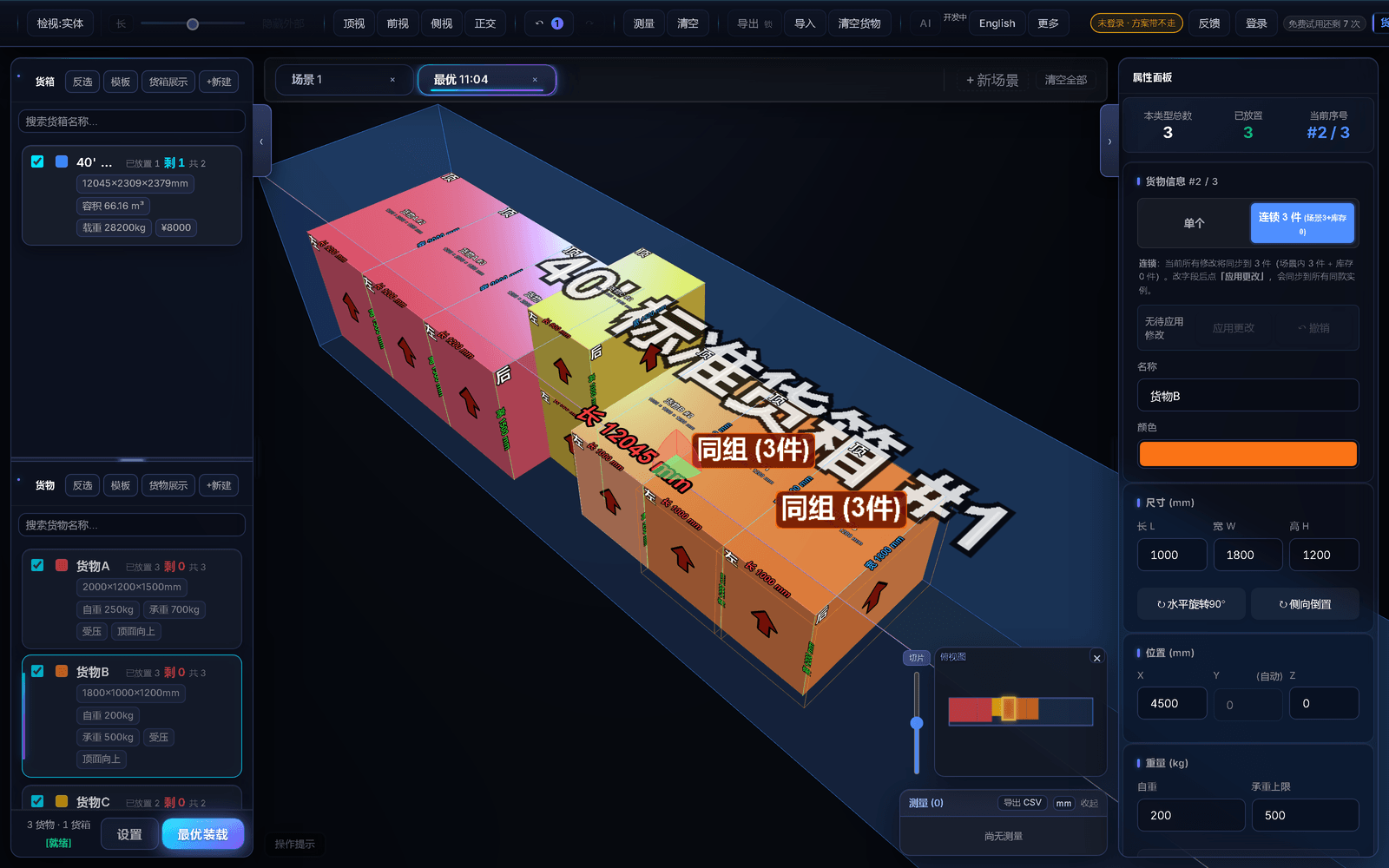
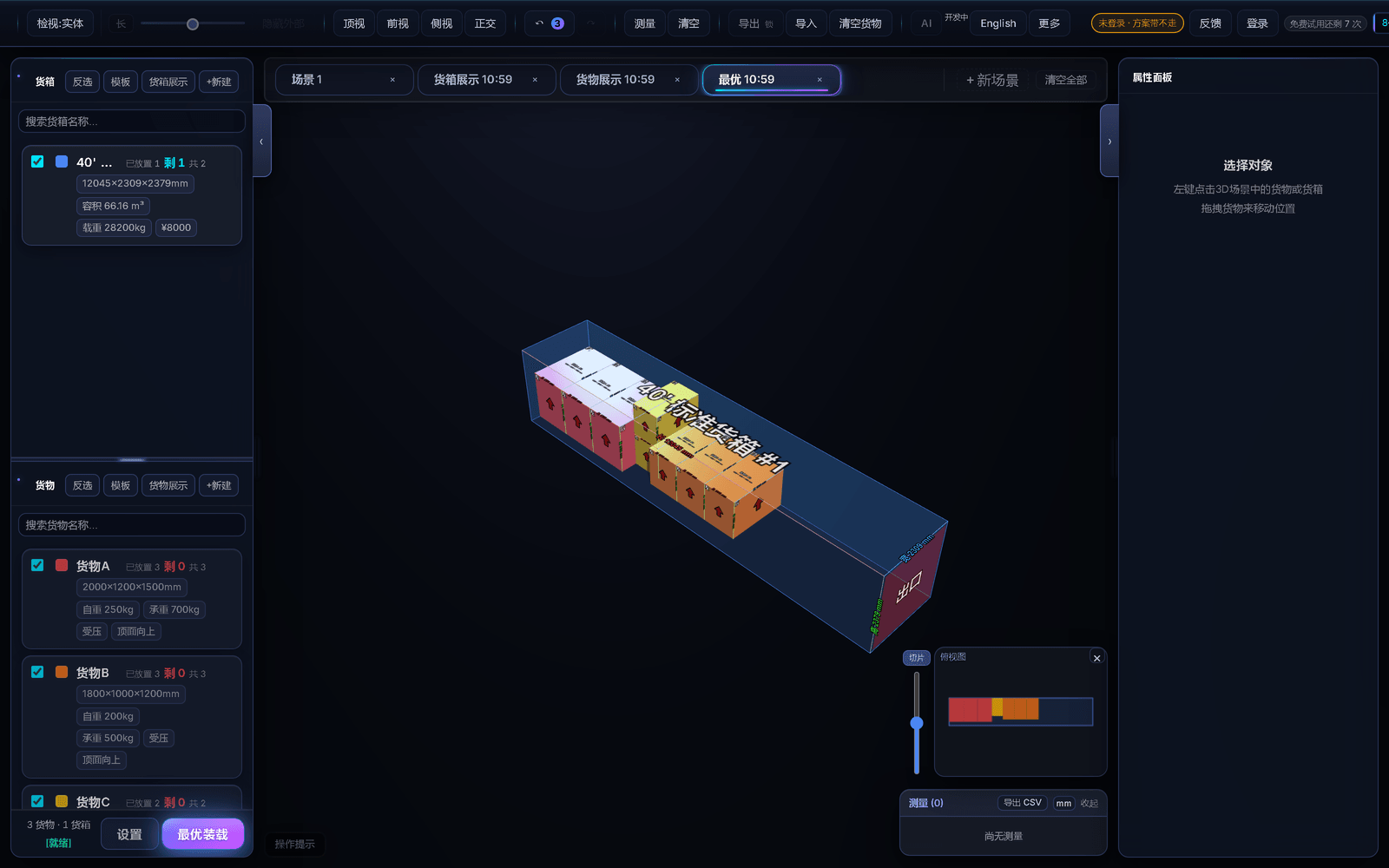
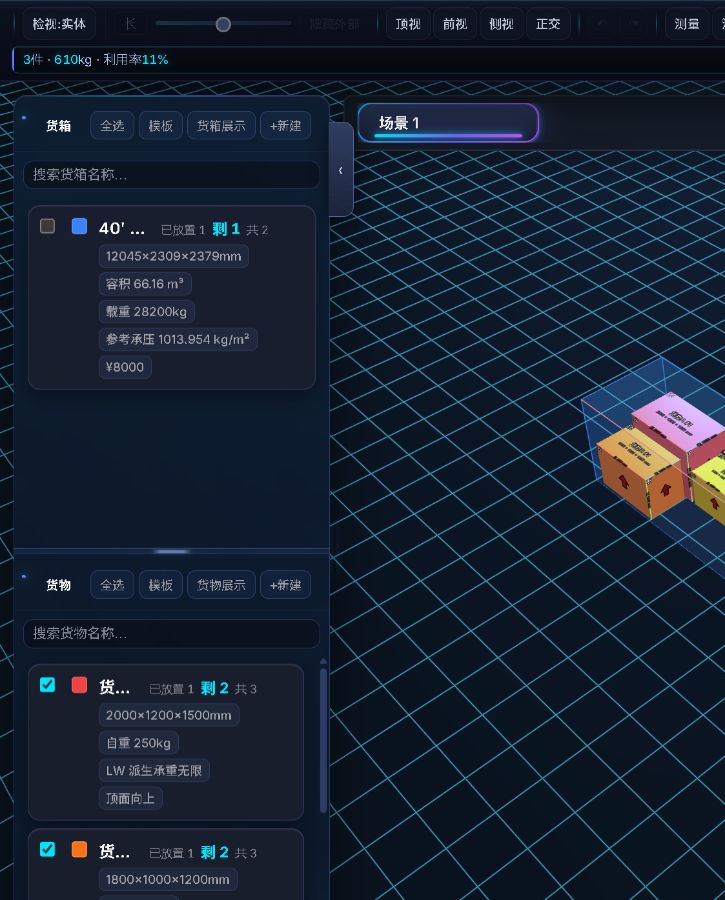
Every image is from the current product and is shown at its original ratio, without cropping away the sidebars, toolbar, or scene result.
Problem
Analyze the scene without pretending to approve it
MaxPack puts manual layout and optimized loading on equal footing: arrange the scene yourself, or choose one available objective in Optimal Settings and press the main button. The product never presents a layout as an approved “final plan.”
Optimization uses only the selected cargo and container cards. One click sends one complete solve for the current objective to the server. It succeeds and creates a new scene only when every selected item is placed; non-members settle points only after complete success, while active duration and lifetime members spend no points. Partial, infeasible, timed-out, or failed results deduct no points and create no scene.
Views, checks, and analysis objectively describe the current scene. Result export is blocked by three structural errors: cargo intersection, any item not fully contained in exactly one actual container, or unsupported (floating) cargo. When none is present, manual or optimized scenes may still be exported with overweight, instability, bearing-load, axle-load, or similar warnings, which remain in the report. Packing-template import and export are not result exports; they are always free and are not subject to these checks.
Comparison
How manual layout and optimization work together
| Dimension | Rule / input | MaxPack |
|---|---|---|
| Layout method | Local manual dragging keeps its immediate feel | Manual and optimized layouts have equal standing |
| Optimization objective | Select exactly one available objective in Optimal Settings | Highest utilization / fewest containers; lowest cost is in development |
| Server success condition | Only selected cargo and container cards are submitted | Success is returned only when every selected item is placed |
| Failure and partial results | No complete result, timeout, or system failure | Deducts no points, creates no scene, and shows the real server failure |
| Result export | Export access comes first: an active duration or lifetime membership, paid points available or reserved for a task, or the 72-hour grace after successful computation exhausts paid points | Then all three structural checks apply: intersection, failure of unique full containment, or unsupported (floating) cargo blocks export; overweight, instability, bearing-load, and axle-load warnings are reported |
| Packing templates | Not a scene-result export | Import and export are always available |
Capabilities
Two objectives available; cost is in development
Highest utilization
Optimizes utilization of the effective interior and is completely isolated from container prices. Missing prices do not block this objective.
Fewest containers
Optimizes only the number of containers used. Price is isolated from ranking, search, tie-breaking, and the final choice, so changing price cannot change this result.
Lowest cost (in development)
The interface clearly marks this objective as in development and does not start a cost solve. Use highest utilization or fewest containers for now.
Complete server solve
Non-drag business algorithms and intermediate work stay on the server. A new scene is created only after a complete result; non-members settle points then, while active duration and lifetime members spend no points. The original scene remains.
Exports
What is viewable and what requires export rights
Current-scene views and analysis
- Unpaid users can view checks and analysis in the browser. These outputs describe the scene objectively and do not approve compliance, deliverability, or layout quality.
Result export and packing templates
- Result exports are available to active duration or lifetime members, accounts with paid points available or reserved for a task, and accounts within 72 hours after successful computation exhausts their paid points. Free points alone do not grant result-export access. Optimization still requires available points or an active membership; export grace adds no computation points.
- The wallet spends free points before paid points, and the 10 new-account points are free. Manually issued points and points redeemed from codes count as paid by default; points explicitly issued as free do not trigger the 72-hour export grace.
- Result export also requires no cargo intersection, every item to be fully contained in exactly one actual container, and no unsupported (floating) cargo. Overweight, instability, bearing-load, axle-load, and similar warnings do not block export and remain in the exported result.
- Packing-template import and export are not result exports. They are always free and never depend on membership, remaining points, or the structural export checks.
Pricing
Pricing
Two manually fulfilled paths: create an in-app order, pay through the displayed WeChat Pay / Alipay channel, and receive the entitlement after the operator verifies that order; or buy through Xianyu / Taobao and redeem the seller-issued code in the app. Neither path is automatic.
 Xianyu shop炸裂AI工具站This is my Xianyu shop, come take a look!Buy a membership or send feedback through this Xianyu shop.Open the Xianyu shop
A new account gets 10 points on its first valid registration
Optimal packing is unavailable while signed out. It still requires available points or an active membership; export grace adds no computation points. Result exports are available to active duration or lifetime members, accounts with paid points available or reserved for a task, and accounts within 72 hours after successful computation exhausts their paid points. Free points alone do not grant result-export access, and explicitly issued free points do not trigger the 72-hour grace. Export also requires no cargo intersection, every item to be fully contained in exactly one actual container, and no unsupported (floating) cargo; overweight, instability, bearing-load, and axle-load warnings do not block it.